Shopify customer service apps: choose the support job before the app
A source-reviewed guide to Shopify customer service apps, including helpdesks, live chat, AI handoff, permission checks, pilot inputs, and human controls.
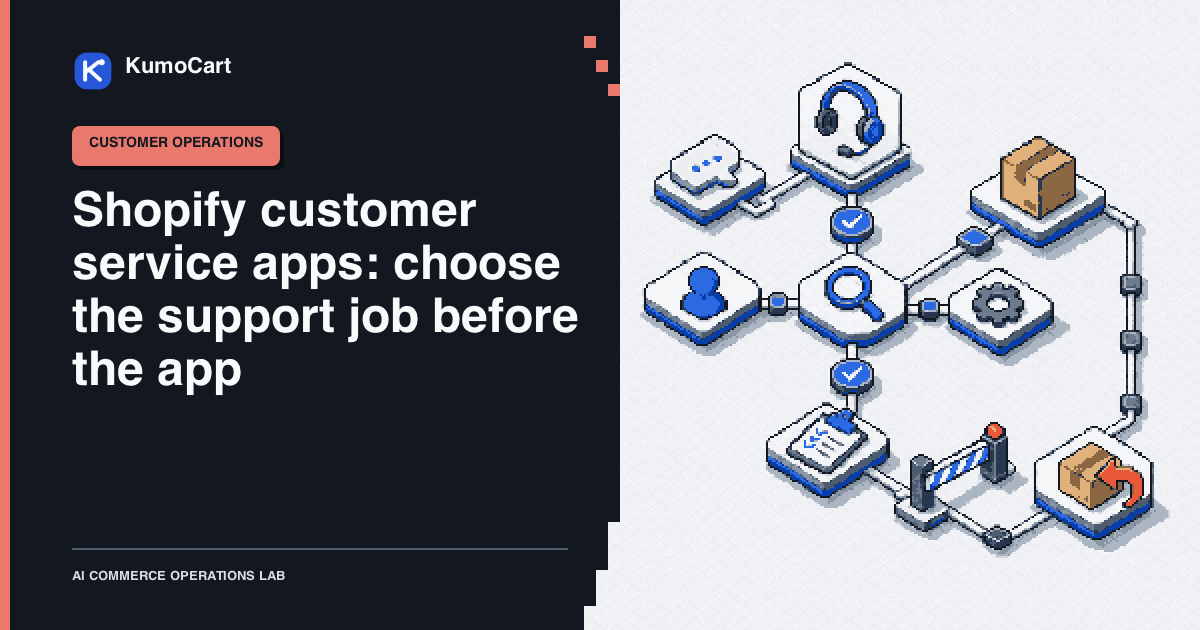
The best Shopify customer service app is the smallest system that closes a named support gap without splitting customer context across tools.
That means the right choice may be Shopify Inbox, a commerce helpdesk, a shared inbox with FAQs, or a broader service desk. It depends on the work you need to handle, the records the operator must see, and the actions that must wait for approval.
This is a source-reviewed guide, not a KumoCart hands-on test. The candidates below are routed by job, not ranked by rating, price, support quality, or claimed automation result. Product documentation and app listings can change, so recheck the current listing, access request, plan terms, and privacy policy when you install.
Shortlist by support job
| Support job | Candidate to inspect | What the current documentation shows | First boundary to verify |
|---|---|---|---|
| Store chat with a small team | Shopify Inbox | Staff-managed conversations, desktop and mobile access, quick replies, availability hours, and an optional Inbox agent | Whether your team wants staff replies, the opt-in agent, or both, and which approved content may inform answers |
| Ecommerce helpdesk with order context | Gorgias | Customer and order history beside tickets, notes, metafields, channel assignment, macros, rules, and documented Shopify order actions | Whether order matching is reliable and whether refunds, cancellations, edits, and discounts stay behind named approval |
| Shared inbox plus chat, FAQs, and automated messages | Re:amaze | Shopify order and fulfillment context, storefront widgets, contact forms, FAQs, variables, rules, and documented order actions | Which channels become the system of record and how draft orders, refunds, and cancellations are reviewed |
| Live chat with AI assistance and handoff | Tidio | Shopify tickets and order context, live chat, multilingual support, and Lyro knowledge and handoff controls | Which sources Lyro may use, which audiences go straight to people, and what happens when no answer is grounded |
| Existing service desk or multiple storefronts | Zendesk for Shopify | Shopify order information in Support and Chat, multiple storefront connections, a storefront widget, and configurable refunds and cancellations | Whether your current Zendesk plan includes the required Support and Chat path and who can enable order actions |
These are fit cards, not endorsements. A store that needs one website chat channel does not automatically need a helpdesk with every social integration. A team that already runs a service desk does not automatically benefit from adding another shared inbox. Start with the smallest candidate that can prove the required workflow.
Write the job in one sentence
Before opening the App Store, complete this sentence:
We need to handle {customer question or event} from {channel}, using {approved record or policy}, and produce {reply, draft, handoff, or action} without {forbidden consequence}.
Examples:
- We need to answer product and shipping questions from website chat using approved catalog and policy content, without promising a delivery date that the store cannot verify.
- We need to find order status and prepare a reply from email, without refunding, cancelling, or changing an order automatically.
- We need to route refund and address requests to a named owner with the order facts attached, without making the customer repeat the case.
If the sentence is still vague, an app comparison will produce a feature pile rather than a decision.
Compare four boundaries, not twenty features
Use the same four questions for every candidate.
| Boundary | Questions to answer | Evidence to capture |
|---|---|---|
| Channel | Does it cover the channels customers actually use, and will one conversation have one owner? | Channel list, routing rule, assignment, offline behavior |
| Context | Can the operator see the minimum product, customer, order, fulfillment, and policy facts needed for this job? | Matched record, source fields, last-updated time, missing-data behavior |
| Action | Is the output an answer, a draft, a handoff, or a write? Which actions can the integration expose? | Proposed action, permission request, approval owner, confirmation record |
| Exit | Can the team pause, export, remove, and recover without losing the service history or leaving a broken storefront widget? | Export file, pause control, uninstall steps, dependent workflow list |
Shopify’s app installation guidance says the install screen shows the personal data and store data an app wants to view or edit, plus a link to the developer’s privacy policy. Treat that screen as part of the comparison. Record the exact request before approval. “Customer support” is not a permission scope.
Use read, draft, approve, commit
The safest common operating model is a boundary between facts and actions.
- Read: retrieve the approved product, policy, customer, or order facts needed for the case. Check the record identity and state.
- Draft: produce a customer-visible draft, a fact summary, a risk flag, or a handoff card. Mark unresolved fields instead of guessing.
- Approve: an authorized person checks the record, policy, tone, amount, and customer promise. They may edit, reject, or ask for more information.
- Commit: only the named person or an explicitly approved rule performs the consequential action, then records the result and any recovery step.
This model matters because several official integrations document actions such as refunds, cancellations, order edits, discount-code generation, or draft orders. Those are product capabilities, not permission to let an unreviewed assistant decide what should happen. Keep money movement, address changes, discounts, customer promises, and destructive actions under human control.
For AI-assisted chat, the knowledge boundary is equally important. Shopify says its Inbox agent can use catalog, store policies, knowledge-base content, and published storefront content. Tidio’s Lyro documentation says the agent can use configured sources and hand a conversation to a human when the answer is outside that knowledge. Configure both the source set and the handoff rule before enabling customer-facing answers.
Run a small, reversible pilot
The following is a proposed KumoCart operating method, not a reported test result. Use a development store or a tightly limited queue when possible, and begin with drafts or read-only assistance.
Prepare an input packet with:
- the channel, case ID, customer identifier, and order identifier when available;
- the approved product and policy sources with their update dates;
- the allowed output, such as answer draft, summary, tag, queue, or named handoff;
- forbidden actions, such as refund, cancellation, address change, discount, or delivery promise;
- the owner who can approve the next step and the pause condition.
Include ordinary and difficult cases:
- A product, size, material, or care question answered from published content.
- An order-status question where the customer identity and order match cleanly.
- A missing-order case where the system must ask for information or hand off.
- A return, refund, cancellation, or address request that requires an authorized decision.
- A customer whose message conflicts with the order or policy record.
- Duplicate messages, mixed channels, a language change, and an unavailable staff owner.
For every case, require an output record like this:
case_id: {stable identifier}
customer_assertion: {what the customer said}
source_facts: {records and policy references checked}
missing_facts: {what remains unresolved}
risk_flags: {refund, address, privacy, promise, complaint, or none}
customer_draft: {draft or explicit handoff}
allowed_action: {read, draft, route, or named write}
approval_owner: {role or person}
approved_action: {what was actually approved}
result: {sent, routed, paused, rejected, or failed}
rollback_note: {how to recover or correct the action}
The pass condition is not a high automation percentage. It is that an operator can explain the source of every customer-visible claim, identify the customer and order correctly, see why a case was handed off, and stop a consequential action before it commits.
Stop on these failure modes
The inbox duplicates the same conversation: Two widgets or channel connectors create competing owners. Pause one path, choose the system of record, and reconcile open cases before adding another channel.
The wrong customer or order is matched: Do not let a similar email, phone number, or name authorize a response about a private order. Ask for a verified identifier or route the case.
The answer sounds certain but lacks a source: Mark the field unresolved. A polished guess is a support incident waiting to happen.
A write appears inside a reply workflow: Separate the proposed action from the customer draft. Require an owner, a reason, a permission check, and a confirmation record before the write.
The policy or catalog is stale: Record the source date and pause answers that depend on it. Update the source before expanding automation.
The AI agent has no useful handoff: Configure who receives the case, what context they get, and what the customer is told while waiting. “Ask a human” is not a complete recovery path.
Uninstall is treated as a delete button: Shopify’s uninstall guidance says to review theme changes, external charges, dependent workflows, data that may not be recoverable, and app-managed inventory. Export what matters and prove the replacement path before removal.
The practical choice
Choose Shopify Inbox when the missing job is a straightforward store chat surface and staff can own the replies. Inspect Gorgias when the team needs ecommerce order context inside a helpdesk and can govern its documented order actions. Inspect Re:amaze when a shared inbox, storefront widgets, FAQs, and Shopify rules need to live together. Inspect Tidio when live chat, configured AI knowledge, and explicit human handoff are the central problem. Inspect Zendesk when the service operation already depends on Support and Chat across multiple storefronts.
None of those choices is “best” in the abstract. The best Shopify customer service app is the one whose inputs, permissions, outputs, approval boundary, and exit path match the support job you can name today.
For the wider operating boundary, read How to automate a Shopify store and Shopify AI tools. If you are running the store with a very small team, the one-person Shopify operating system adds a useful review rhythm.
Frequently asked questions
What is the best Shopify customer service app?
There is no universal best app. Choose the smallest candidate that closes your named support gap, then verify channels, order context, permissions, handoff behavior, write access, billing, exports, and the exit path.
Is Shopify Inbox enough for customer support?
It can be a sensible starting point when the job is store chat and staff-managed conversations. Add a helpdesk only when you can name the missing workflow, channel, record, or review control.
Can a Shopify customer service app handle refunds automatically?
Some integrations document refund or cancellation actions, but capability is not approval. Keep refunds, cancellations, address changes, discounts, and customer promises behind an authorized human checkpoint.
What should I test before installing a Shopify support app?
Test a small representative set of questions and edge cases. Require visible source facts, customer matching, draft and handoff output, permission fit, a pause control, an export, and a documented recovery path before expanding.
Sources
- Shopify InboxShopify Help Center · official · Sep 5, 2026
- Installing and setting up appsShopify Help Center · official · Sep 5, 2026
- Uninstalling appsShopify Help Center · official · Sep 5, 2026
- Support apps on the Shopify App StoreShopify App Store · official · Sep 5, 2026
- Connect a store to Gorgias: ShopifyGorgias Documentation · official · Sep 5, 2026
- Shopify and Re:amazeRe:amaze · official · Sep 5, 2026
- Lyro, the conversational AI agentTidio Help Center · official · Sep 5, 2026
- Tidio for ShopifyTidio · official · Sep 5, 2026
- Setting up the Shopify integration for Support and ChatZendesk Help · official · Sep 5, 2026
Change log
- First edition reviewed against current Shopify Inbox, app permission and uninstall guidance, the Shopify App Store support category, and official integration documentation for Gorgias, Re:amaze, Tidio, and Zendesk. Community and YouTube discovery was not used as product evidence.