Shopify AI shopping agents: prepare the catalog before the handoff
A source-reviewed operating guide for Shopify AI shopping agents, covering Catalog data, channel controls, checkout handoffs, permissions, and human review.
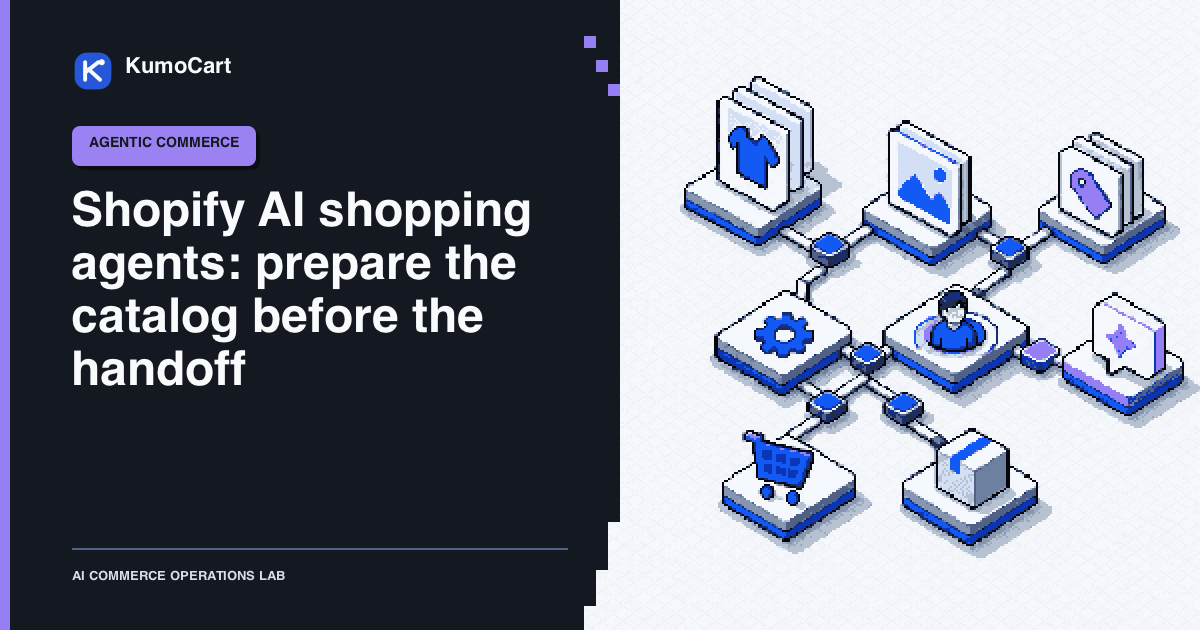
Shopify AI shopping agents create a new storefront surface, but they do not remove the old operating questions. Which product facts are current? Which channels may see them? Who controls the checkout handoff? What happens when the agent has an incomplete catalog record or lacks permission to finish?
For a lean Shopify team, the most useful starting point is a review-first workflow:
Catalog facts -> discovery preview -> cart or handoff -> checkout review -> verified outcome
This is a source-reviewed operating model, not a KumoCart hands-on test. It does not claim more traffic, better ranking, higher conversion, or a successful merchant outcome. The controls below are designed to keep the agent useful while keeping product truth, permissions, money movement, and customer promises under human control.
Separate discovery from checkout
Shopify’s current documentation describes several distinct surfaces:
| Surface | What it is for | What to decide |
|---|---|---|
| Shopify Catalog | Structured product data for eligible AI channels | Which products, fields, and channels may use the data |
| Agent discovery files | Store context such as policies, sitemap, and discovery endpoints | What store information should be exposed in /agents.md, /llms.txt, and /llms-full.txt |
| Cart | Line items, context, and estimated totals while the buyer is still shopping | Whether the agent should manage a cart or use a simpler checkout link |
| Checkout | Fulfilment, buyer details, payment, and final purchase steps | Which authentication path is trusted and where the buyer must review or complete the purchase |
Treating these as one feature creates avoidable risk. Product discovery can be read-only. A cart can preserve buyer intent. Checkout can change money and customer state. Each step needs its own permission, review, and failure path.
1. Choose the channel boundary first
Shopify’s data-sharing guidance says AI channels can receive product data such as titles, descriptions, images, pricing, and availability through Shopify Catalog. It also documents separate controls for Catalog access and direct checkout where those controls apply. The current ChatGPT agentic storefront has Catalog access but not a direct-checkout setting in that control surface.
The agentic storefront settings default to allowing Shopify to manage available channels for the store. That default can enrol a store in new agentic storefront channels as they become available. A small team should inspect the setting before treating discovery or checkout as an intentional launch.
Create a channel record with these fields:
| Field | Question to answer |
|---|---|
| Channel | Which AI surface is in scope? |
| Catalog access | May the channel read this store’s eligible products? |
| Direct checkout | Is the feature available and eligible for this channel and store? |
| Product scope | Which products must remain hidden, D2C-only, or review-only? |
| Store owner | Who approves the channel setting and customer-facing promise? |
| Review date | When will the team recheck the setting, rollout, and documentation? |
Do not infer availability from a tutorial, a screenshot, or a successful conversation. Shopify currently notes that some direct-checkout surfaces are rolling out to eligible stores. Record the country, plan, channel, and eligibility context whenever availability matters.
2. Make Shopify Catalog the product source of truth
Shopify says eligible products are represented in Catalog with structured titles, descriptions, options, images, price, availability, and other attributes. It also provides Catalog Mapping for stores whose useful product data lives in metafields, metaobjects, tag prefixes, or other custom structures.
Use a small product-data audit before connecting an agent:
- Pick a representative set of products, including variants, out-of-stock items, products with custom fields, and products with unusual options.
- Name the authoritative field for title, description, category, option, image, price, availability, and policy context.
- Mark any field that is generated, translated, inherited, or stored outside the normal product record.
- Map custom fields into Catalog where the current Shopify workflow supports it.
- Record the source timestamp and the person who owns a correction.
The audit should produce a review queue, not an automatic bulk rewrite. A useful queue item includes the product ID, field, current value, proposed value, source record, reason, confidence, and approval state.
Keep discovery files in their lane
Shopify automatically serves /agents.md, /llms.txt, and /llms-full.txt for store context. The product discovery documentation says these files can describe the store, policies, sitemap, and discovery endpoints, but it also says they are separate from Shopify Catalog and do not replace the product feed.
That gives the team two different checks:
- Catalog check: Can the agent receive the right product and variant facts?
- Store-context check: Can the agent find current policy, shipping, returns, and navigation context?
Do not fix a missing product field by editing only llms.txt. Do not hide a product by editing only robots.txt either. Shopify says robots.txt rules are advisory for open-web crawlers, and blocking crawlers does not stop Catalog data from reaching activated agentic storefronts. Use the Shopify channel controls or the documented product visibility settings for the actual decision.
If the store has B2B, wholesale, customer-login, or private-mode products, review the eligibility boundary separately. Shopify documents agentic storefronts as D2C-only and warns that custom access or pricing logic may not be detected the way a merchant expects.
3. Use preview as a QA signal, not a ranking promise
The Agentic section in Shopify admin provides a search preview for Catalog results. Shopify describes it as a directional signal because agentic channels can re-rank results with their own logic. The documented listing insights include description completeness, image coverage, product reviews, variant and option completeness, and shop policy completeness.
Turn each preview into a repeatable review record:
| Check | Input | Record | Stop condition |
|---|---|---|---|
| Product meaning | Natural-language query and product set | Which fields made the item understandable | A key attribute is missing or ambiguous |
| Variant choice | Size, colour, style, or other option | Variant ID, option label, and availability timestamp | The agent cannot distinguish valid variants |
| Price and availability | Current product and variant records | Source values returned to the reviewer | A value is stale, regional, or contradictory |
| Policy context | Shipping, returns, refund, and other store policies | Exact policy link and review date | The answer would require a guess or exception |
| Channel behavior | Agentic preview and channel setting | What the preview shows and what it does not prove | The team treats preview order as guaranteed ranking |
The output is a list of fixes and unknowns. It is not an SEO scorecard, conversion forecast, or proof that an AI channel will recommend a product.
4. Put cart and checkout behind a second approval gate
Once discovery is correct enough to continue, preserve the buyer’s intent without treating it as payment authorization. Shopify’s carts and checkout documentation describes two cart paths and two checkout paths:
- Cart MCP lets an agent manage line items, context, and estimated totals. A cart permalink is simpler when the agent only needs to send selected variants to the merchant checkout.
- Checkout MCP runs from the agent’s server and requires authentication or a signed request. Checkout WebMCP runs in the buyer’s browser on the checkout page.
Shopify recommends Checkout MCP for agents that do not need to run in the buyer’s browser. The documented end-to-end flow can create or update a checkout, then send the buyer to the returned continue_url for the merchant storefront. The merchant remains the merchant of record. When escalation or review is required, the buyer should complete the handoff on the merchant checkout.
Use this sequence for a bounded implementation:
- Re-read the product, variant, price, availability, and relevant policy facts near the handoff.
- Show the buyer the selected items and any uncertainty before creating a checkout session.
- Use Cart MCP only when the agent needs to iterate on line items or estimated totals. Otherwise use the simplest documented handoff.
- Use the authentication or signature required by the selected checkout path.
- Send the buyer to
continue_urlwhen the merchant checkout, payment challenge, policy exception, or escalation step requires a person. - Record the checkout status, messages, handoff URL state, and final owner of the next step.
One implementation detail deserves a test case: Shopify documents update_cart as a full replacement operation. Omitting a field can remove it from the cart. A partial retry that looks harmless in a model prompt can therefore change the buyer’s state. Test duplicate calls, missing fields, changed availability, and a buyer changing their mind before allowing any live cart path.
5. Match permissions and traffic to the job
Shopify’s current auth and rate-limit guidance distinguishes token, signed, and anonymous traffic. All three can access some catalog and cart functions, but the available checkout and order actions differ. Token traffic has the highest limits and can complete checkout only when the token has the required permission. Signed and anonymous traffic cannot use complete_checkout.
The practical rule is simple:
| Job | Start with | Keep out of scope until separately approved |
|---|---|---|
| Product discovery | Catalog access and current product data | Customer, order, payment, or write access |
| Cart exploration | The narrowest cart capability that can show selected items and estimates | Checkout completion and order access |
| Checkout handoff | A documented authenticated or signed path plus buyer review | Automatic payment completion without the required trust and permission |
| Order follow-up | Explicit buyer authorization and an approved order scope | Refunds, cancellations, inventory changes, and policy exceptions |
Shopify also notes that Checkout MCP is more strictly rate-limited than Cart MCP at every tier. Use the lower-impact cart stage for exploration and reserve checkout calls for a buyer who is ready to purchase. Keep retries bounded and log the reason for every escalation.
A lean first workflow
This is a proposed KumoCart operating model, not a reported experiment:
- Choose one job. Start with product discovery for one collection, use case, or customer question.
- Write the fact map. List the Catalog fields, variant records, policies, channel setting, and owner that supply the answer.
- Audit before exposing. Run representative queries and inspect the returned product facts, missing fields, and misleading variants.
- Draft corrections. Ask the agent to propose field-level changes with source links and an explanation. Keep the result unpublished.
- Approve narrowly. A merchant reviews the exact target, customer promise, price, availability, and publication state before any write.
- Add the handoff. Introduce a cart or checkout step only after discovery, permissions, and failure handling are reviewable.
- Verify the trace. Store the input, source timestamp, tool calls, output, handoff reason, approval, and final state.
The first useful automation is often not an autonomous shopper. It is a better review queue for product data and a clearer handoff when the agent cannot safely continue.
Failure modes to design before launch
| Failure | What the operator should see | Safe response |
|---|---|---|
| Custom product data is not mapped | The agent sees an incomplete or generic product | Fix the Catalog mapping and rerun the review query |
| B2B logic leaks into a D2C surface | A product or price is visible outside the intended buyer context | Confirm eligibility, visibility, and pricing before continuing |
| Direct checkout is assumed to be available | The channel or store is not eligible, or the buyer needs review | Use the merchant checkout handoff and document the reason |
| A cart update omits a field | The cart state changes more broadly than the prompt implied | Stop, re-read the full cart, and require buyer confirmation |
| A policy answer has no current source | The agent would have to fill a gap with a plausible sentence | Mark the answer unresolved and route it to the policy owner |
| Preview order is treated as an outcome | A directional Catalog result becomes a promise of visibility or sales | Keep preview findings separate from business results |
| A crawler opt-out is mistaken for a Catalog opt-out | Open-web and Catalog settings are being conflated | Check the agentic storefront setting and the product visibility rule separately |
| A tool is technically callable but not authorized | The agent can invoke a write that the job does not need | Remove the scope, block the call, and record the approval decision |
Keep a person in control of money movement, refunds, legal text, permissions, customer promises, inventory overrides, and destructive actions. A confident agent response is not an approval, and a successful API call is not proof that the action was appropriate.
The decision this week
Choose one narrow discovery job and create its channel record, product fact map, preview queries, review queue, and handoff rule. Keep the agent workflow in draft mode until a merchant can inspect the source facts, permission boundary, failure state, and final checkout owner. Then expand one gate at a time, with a new review when Shopify documentation, channel eligibility, or the customer promise changes.
Frequently asked questions
Are /agents.md and /llms.txt a replacement for Shopify Catalog?
No. Shopify documents these files as agent discovery information for store context and says they are separate from the Shopify Catalog product feed.
Can every Shopify AI shopping agent complete checkout directly?
No. The available path depends on the channel, eligibility, authentication, and checkout surface. A merchant checkout handoff remains the safe fallback when direct completion is not available or not trusted.
Does a good Catalog listing guarantee that an agent will recommend a product?
No. Shopify's preview is directional, and agentic channels can apply their own ranking logic. Use it to find data gaps, not to promise visibility or sales.
What should a small Shopify team automate first?
Start with read-only product discovery and a reviewable draft. Add cart or checkout steps only after the team can inspect current product facts, permissions, handoffs, and failure states.
Sources
- Shopify Catalog and product discovery for agentic storefrontsShopify Help Center · official · Sep 30, 2026
- Data sharing and privacy for selling with agentic storefrontsShopify Help Center · official · Sep 30, 2026
- Managing agentic storefrontsShopify Help Center · official · Sep 30, 2026
- Carts and checkout for agentsShopify Developers · official · Sep 30, 2026
- Auth and rate limitingShopify Developers · official · Sep 30, 2026
Change log
- First source-reviewed edition based on current Shopify Catalog, agentic storefront, cart, checkout, authentication, and rate-limit documentation.