Best AI for ecommerce: choose the workflow boundary before the tool
A source-reviewed way to choose AI for ecommerce by job, data access, write permissions, review controls, and recovery path.
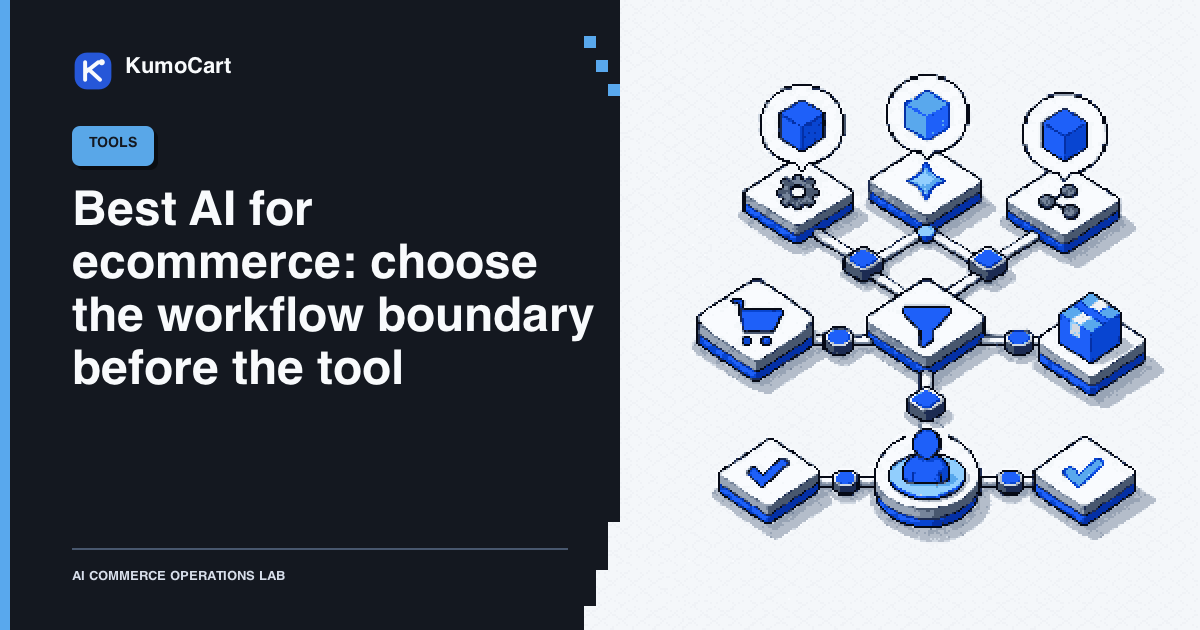
The best AI for ecommerce is not the tool with the longest feature list. It is the smallest system that fits one named operating job, uses the right data, and shows a person what will happen before a consequential change is applied.
That is why “best AI for ecommerce” is a useful search term but a weak buying question. Rewrite it as: best AI for which job, with which data, producing which output, under whose approval?
This is a source-reviewed selection guide, not a hands-on KumoCart test. It does not rank vendors, invent prices, assign ratings, or claim a conversion, revenue, accuracy, or time-saving result.
The short answer by ecommerce job
| Job | First candidate to inspect | What the current documentation supports | Boundary to verify |
|---|---|---|---|
| Ask about store context or prepare supported admin work | Shopify Sidekick | Shopify describes Sidekick as an AI assistant in the Shopify admin that can provide guidance, generate content, help build custom apps, and complete tasks using natural language | Which resource is in scope, which change is proposed, and what you must review before accepting it |
| Draft product copy, emails, or media | Shopify Magic | Shopify describes Shopify Magic as a suite of AI features for everyday workflows such as product descriptions, emails, and media generation | Product truth, brand rules, legal text, source date, and whether the output stays a draft |
| Run event-driven rules across a store and its apps | Shopify Flow | Shopify documents Flow as an ecommerce automation platform built from triggers, conditions, and actions | Trigger timing, missing data, connector failure, and whether the final action needs approval |
| Let an external AI tool read or change approved store data | An official Shopify AI integration | Shopify documents connections to third-party AI tools such as ChatGPT, Claude, and Perplexity, with access controlled by store data and user permissions | Requested scopes, provider terms, data leaving Shopify, write access, and how access is revoked |
| Build a shopper-facing assistant or recommendation experience | A separate customer-facing project | This is not the same operating surface as a merchant assistant in the Shopify admin | Product facts, pricing, customer data, checkout, support handoff, and the policy for uncertain answers |
These are fit cards, not endorsements. Shopify’s own documentation warns that AI outputs can contain errors and recommends reviewing what a tool creates or changes. The job determines the shortlist.
Why there is no universal winner
An ecommerce AI tool crosses five boundaries. Compare these before comparing brands:
| Boundary | Question | Evidence to capture |
|---|---|---|
| Job | What repeated decision or piece of work is failing? | One sentence, one owner, one success condition |
| Context | Which products, orders, customers, policies, or files can it read? | Named records, source dates, missing-field behavior |
| Output | Does it answer, draft, route, or write? | Example output plus its state: proposal, draft, live, paused, or failed |
| Authority | Which actions can it take, and who can approve them? | Data access, user permissions, confirmation step, and audit record |
| Recovery | What happens when the answer is wrong or the action stops halfway? | Pause control, before-and-after record, export, and correction path |
A polished answer is not the same as a safe workflow. A tool that can read a catalog may not be suitable for editing product facts. A tool that can draft a customer reply should not automatically promise a refund. A tool that can run an event-driven rule should not invent the policy that the rule is supposed to enforce.
Choose the lane before the app
Use four operating lanes to prevent a tool comparison from becoming a feature pile.
1. Read
The tool finds, compares, summarizes, or classifies information. Start here when the problem is scattered context, not a missing automation.
Required output:
- the exact records and sources used;
- the source date and any missing fields;
- uncertainty or conflicting facts;
- a recommended next step that is still a proposal.
Human checkpoint: confirm that the tool used the right store, record, locale, and date range.
2. Draft
The tool prepares product copy, a support reply, a collection description, a campaign outline, or a workflow proposal. Shopify’s best-practices guidance recommends specific instructions, store context, constraints, expected format, and an explicit scope for changes. It also recommends confirming before destructive or hard-to-undo work.
Use this prompt shape:
Create [output] using [named data], with [limits and constraints], as [format]. Only change [scope]. List sources and uncertainty. Ask for confirmation before any change that is public, customer-facing, destructive, or hard to undo.
Human checkpoint: check product facts, policy, brand voice, customer promises, and publication state before the draft becomes live.
3. Route or execute a stable rule
Shopify Flow is the clearest example of a deterministic workflow lane. Its current documentation describes triggers, conditions, and actions for work inside the store and across apps.
Start with a low-consequence output such as an internal tag, notification, or review task. Separate the routing condition from the final write:
| Case | First output | Approval state |
|---|---|---|
| Complete, ordinary, and low consequence | Internal tag or notification | No approval for the tag, with an owner for exceptions |
| Missing or conflicting data | Review queue with the source facts | Human review required |
| Money, inventory, order, legal, permission, or customer-promise change | Proposed action record | Authorized human approval required |
Human checkpoint: approve the policy and the action separately. A condition matching is not the same as permission to apply a destructive action.
4. Connect an external AI tool
Shopify’s authorization guidance says a connected AI tool can access store data and take actions only within the data access granted to the user and the user’s permissions. Shopify also says that shared data leaves the Shopify environment and is then governed by the third-party provider’s terms and privacy policy.
The connection review should record:
- which store is connected;
- which records and fields are readable;
- whether write access is requested;
- which staff permission the tool acts through;
- what the provider retains and how it uses the data;
- how an owner revokes access.
Shopify says the official AI integrations are installed from the AI tool rather than the Shopify App Store, and that reducing an approved access scope requires uninstalling and reinstalling the integration. Treat that as an operational change with an owner and a recovery note, not as a casual prompt setting.
Human checkpoint: a named owner reviews the access request before connection, then rechecks the live scope after the first task.
The six-field tool-fit card
Before a trial, fill this card in plain language:
| Field | What to write |
|---|---|
| Job | The one repeated task and the person who owns it |
| Inputs | Exact products, orders, customers, policies, and files the tool may use |
| Output | Answer, draft, route, notification, or proposed write |
| Forbidden actions | Money movement, refunds, cancellations, inventory overrides, legal text, customer promises, permissions, or destructive work that must stay human-controlled |
| Review | What a reviewer must see before accepting the result |
| Recovery | How to pause, compare the prior state, correct an error, and revoke access |
Reject a candidate when it cannot explain its scope, failure behavior, review state, or exit path. A free or impressive demo can still be the wrong tool if it creates an invisible second source of truth.
A reversible evaluation protocol
Use this sequence for a solo or lean team:
- Pick one representative task. Choose a frequent, bounded job such as drafting product copy, classifying support requests, or routing an internal review queue.
- Write the expected state. Define what must stay unchanged and what the acceptable output looks like.
- Start read-only or draft-only. Do not begin with a live price, inventory, order, refund, payment, or customer-promise write.
- Build an edge-case set. Include a normal case, missing data, stale data, conflicting policy, wrong record, duplicate event, and an unavailable connector.
- Inspect the trace. Record the input, source fields, requested scope, proposed action, uncertainty, reviewer decision, and final state.
- Expand one boundary at a time. If the first lane is reliable enough for the team’s policy, add one reversible action and keep its owner visible.
- Recheck access and recovery. Verify the connection, export what matters, and practice pausing or uninstalling before the workflow becomes business-critical.
This is a KumoCart operating model, not a reported KumoCart test. No performance or outcome claim follows from the protocol until KumoCart runs and records a dated test.
Failure modes that should stop the trial
The answer sounds certain but lacks a source. Mark the field unresolved and route it to the owner of the product, policy, or customer promise.
The tool has more access than the job needs. Decline the connection or stop the trial until the data and user permissions are narrowed.
A draft is mistaken for a live change. Show publication state, exact target records, and before-and-after values in the review card.
The customer or order match is uncertain. Do not let a similar name, email, or product authorize a private response or order action.
A batch stops partway. Shopify’s third-party-tool guidance notes that connected AI tools may change items one at a time, so a larger batch can stop before completion. Reconcile the finished and unfinished records in Shopify admin before retrying.
The workflow has no meaningful handoff. “Ask a human” is not a recovery path. Name the reviewer, include the case context, state what the customer should be told, and define the pause action.
The connection cannot be reduced safely. Record the uninstall, export, dependent workflows, and reauthorization steps before granting access.
The practical choice
Choose Shopify Sidekick or Shopify Magic first when the job is inside the Shopify admin and the output can remain reviewable. Choose Shopify Flow when the rule is stable, event-driven, and better expressed as triggers, conditions, and actions. Choose an official third-party AI connection only when the additional data or action scope is necessary and an owner can govern the provider boundary.
If the job is customer-facing product discovery, support, checkout, or post-purchase care, treat it as a separate system with separate facts, permissions, and human handoffs. Do not assume that a merchant assistant is a shopper assistant.
For a deeper look at the merchant-side boundary, read Shopify AI assistant: build a review boundary before it acts. For deterministic rules, use Shopify ecommerce automation: build the review lane before the rule. The broader Shopify AI tools guide covers the operating stack around these lanes.
The best AI for ecommerce is the one that makes a useful decision easier to inspect, approve, and recover. Start with the boundary. Add the tool only after the work is clear.
Frequently asked questions
What is the best AI for ecommerce?
There is no universal best tool. Choose the smallest candidate that fits one named job, uses the right data, exposes the required permissions, and keeps consequential changes behind a meaningful human review.
Is Shopify Sidekick the same as an ecommerce AI platform?
No. Shopify documents Sidekick as an AI assistant in the Shopify admin. A connected third-party tool, a deterministic workflow, and a shopper-facing assistant have different data and action boundaries.
Should an ecommerce AI tool have write access?
Only when the job requires it and the exact scope is approved. Start read-only or draft-only, and keep money movement, refunds, inventory overrides, customer promises, legal text, and destructive actions with an authorized human.
How should a small ecommerce team test an AI tool?
Give it one representative, reversible task. Capture the input, expected output, failure cases, permission request, reviewer decision, and recovery path before expanding the scope.
Sources
- Shopify Help Center - AI-powered toolsShopify Help Center · official · Sep 18, 2026
- Best practices for using AI-powered toolsShopify Help Center · official · Sep 18, 2026
- Authorizing AI tool access to your storeShopify Help Center · official · Sep 18, 2026
- Considerations for using third-party AI tools with your Shopify storeShopify Help Center · official · Sep 18, 2026
- Shopify FlowShopify Help Center · official · Sep 18, 2026
Change log
- First edition reviewed against current Shopify AI-powered-tools, best-practices, authorization, third-party-tool, and Flow documentation. Last30days and focused YouTube research were used for discovery only; no social or video claim is used as product evidence.