Shopify AI assistant: build a review boundary before it acts
A review-first operating model for Shopify AI assistants: define inputs, limit permissions, inspect proposed changes, and keep consequential store decisions with a person.
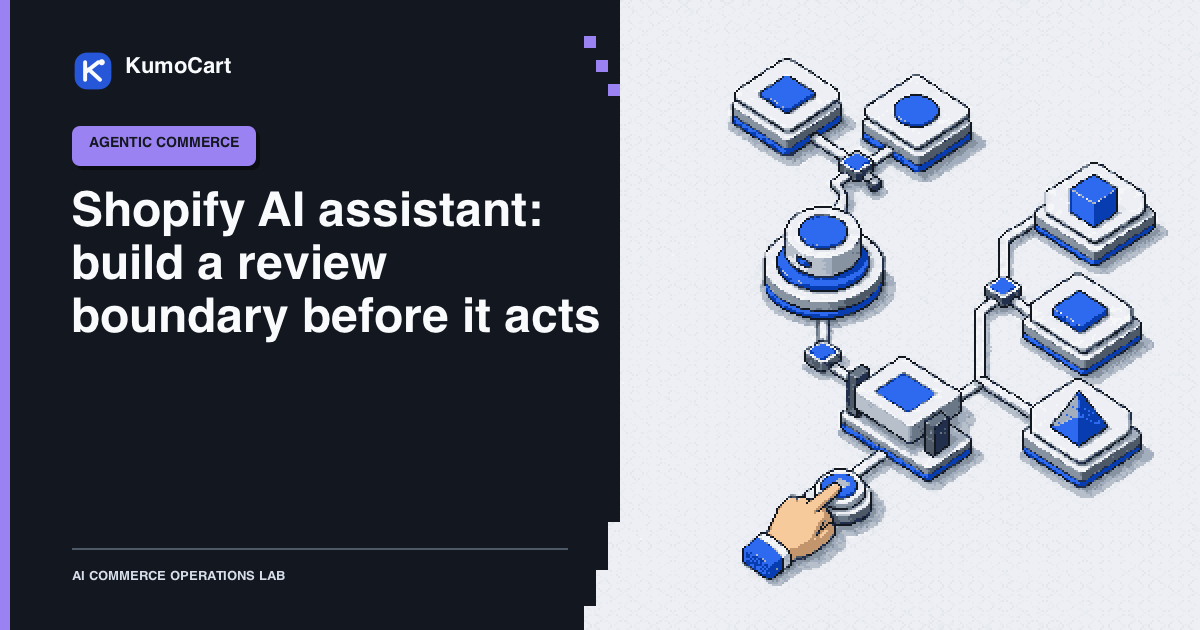
If you searched for an AI shopping assistant for Shopify, start with a boundary question: which work may the assistant read, which work may it draft, and which work must a person approve? Shopify Sidekick is documented as an assistant inside the Shopify admin. A shopper-facing discovery or checkout assistant is a separate operating problem with a different data and transaction boundary.
This guide focuses on the merchant side. It gives a lean team a practical way to use an AI assistant for context and proposals without turning a plausible answer into an unreviewed store change.
Name the assistant before you connect it
“Shopify AI assistant” can describe several different things:
| Surface | Useful job | Boundary to define |
|---|---|---|
| Shopify Sidekick | Ask about store context, get guidance, prepare supported work, or complete an admin task | What the merchant must review before accepting a change |
| Connected AI tool | Let an external tool use approved Shopify data or actions | Provider, data scope, user permission, and access lifetime |
| Developer workflow | Generate code or inspect API schemas while building an app or integration | Which commands can run, against which store, and with whose approval |
| Shopper-facing assistant | Help a customer discover or compare products | Product truth, customer data, pricing, checkout, and support handoff |
The names matter because the safe operating rule for one surface does not automatically apply to another. Shopify’s Sidekick documentation describes an assistant that can provide guidance, generate content, help build apps, and complete tasks in the admin. It also calls out third-party apps, background tasks, and the need to review changes.
Use four lanes for store work
The following is a KumoCart operating model, not a Shopify product workflow:
| Lane | Ask the assistant to | Required output | Human checkpoint |
|---|---|---|---|
| Read | Find, compare, explain, or classify information | Evidence with source records and uncertainty | Confirm that the right store, records, and date range were used |
| Draft | Propose copy, a rule, a tag, or a record change | A structured proposal that is not live | Check facts, scope, policy, customer promise, and exclusions |
| Approve | Show the exact change and its consequences | Before-and-after view plus rollback note | A named owner accepts or rejects the proposal |
| Commit | Execute one approved, bounded change | Result, audit record, and recovery state | Verify the post-change record and stop if it differs |
Most small teams should spend more time in Read and Draft than in Commit. The assistant earns a wider role by making its evidence and uncertainty easier to inspect, not by sounding more confident.
Build an input packet
An AI assistant cannot infer your real operating policy safely from a short prompt. Give it a compact input packet before asking for a decision:
- Job: State the decision the operator needs to make, such as “identify products whose published material claims conflict with the current source record.”
- Target: Name the store, resource type, record IDs, locale, and data timestamp.
- Sources: Link the current product record, policy, inventory feed, or support note. Mark missing and stale inputs.
- Constraints: State what must remain unchanged, including price, inventory, legal text, customer promises, publication state, and permissions.
- Scope: Separate read access from any proposed write. Name the exact fields and records that could change.
- Format: Require a decision, evidence, uncertainty, proposed change, approval requirement, and rollback note.
- Stop conditions: Tell the assistant to pause when the target is ambiguous, a source conflicts, a permission is broader than the job, or the action is hard to reverse.
Shopify’s best-practices guidance recommends clear, specific instructions with the relevant data, constraints, and scope. It also recommends reviewing changes, changing one thing at a time, and asking for confirmation before destructive or difficult-to-undo work. Those recommendations translate well into a reusable prompt:
Review only the named records. Use the linked sources and state their dates. Return evidence, uncertainty, proposed change, required permission, and rollback note. Do not publish, delete, change price, change inventory, send a customer message, or call a write action without a named approval.
The prompt is not a security boundary by itself. Treat it as an instruction layer on top of actual user permissions, app scopes, and platform restrictions.
Review a proposal like an operator
Before approving a draft, use a review card with six fields:
| Field | Review question |
|---|---|
| Evidence | Which exact records support the proposal, and when were they current? |
| Proposed change | What field, object, customer-facing message, or workflow would change? |
| Scope | Is the target limited to the named store, records, fields, and action? |
| Uncertainty | What is missing, ambiguous, stale, or inferred? |
| Impact | Could this affect money, access, inventory, legal language, customer expectations, or public content? |
| Recovery | How will the owner pause, compare, and restore the prior state? |
An approval is meaningful only when the reviewer can answer those questions. A button that says “approve” without showing the evidence and exact mutation is a handoff ritual, not control.
Respect Shopify’s current permission boundary
For a connected AI tool, Shopify says access is limited by the approved data scope and the user’s permissions. The authorization guidance also explains that write access includes read access, that each permission should be reviewed, and that data may leave Shopify under the third-party provider’s privacy terms. Reducing access may require uninstalling and reinstalling the tool with a narrower request.
That makes least privilege an operating decision, not a checkbox. Begin with the smallest read scope that can answer the question. If a write is necessary, make it task-specific, visible, and reversible. Never add customer, order, payment, gift-card, theme, or destructive access merely to avoid a handoff.
Shopify’s current considerations for third-party AI tools describe risks around data handling and merchant responsibility. They also identify sensitive actions that connected tools cannot perform, including issuing refunds, cancelling orders, capturing payments, marking orders as paid, processing returns, and creating or adjusting gift cards. The same page notes that connected tools may change listings, prices, or an unpublished theme when the relevant path is available. Check the current page for the exact boundary before designing a workflow, and keep payment, refund, tax, domain, launch, and destructive decisions with the appropriate admin owner.
If you build the app connection
Shopify’s Sidekick app-extension documentation distinguishes read-only data extensions from action extensions that can expose mutations. The design implication is useful even if your app uses a different interface: return structured data, make the action scope explicit, and preserve merchant control over what gets updated.
The app-action guide provides the implementation details for exposing an app action, including an admin link or UI extension, clear schemas and instructions, and Shopify-managed installation and token exchange. Treat the documented API version, tool limits, and authentication behavior as changeable implementation details. Verify them again when you ship.
The Shopify AI Toolkit is a developer workflow for documentation, API schemas, code validation, and authenticated store management. It can help a developer produce and inspect an integration, but it is not a reason to skip application review, test-store isolation, or approval of a consequential command.
Roll out one narrow job
Use this sequence for a first assistant workflow:
- Choose a frequent, low-consequence question or draft. Internal tagging, source comparison, and private content drafts are better starting points than refunds, order cancellation, price changes, inventory overrides, or live theme publication.
- Define the test boundary. Use a development store, a draft record, or a non-customer example. Write down the one action that is out of scope.
- Run in shadow mode. Store the proposal and the operator’s decision without applying the final write. Capture normal cases, edge cases, missing data, duplicate events, and a connector failure.
- Compare the trace. Check the target record, source fields, requested scope, tool calls, proposed output, and handoff reason. A correct final answer with an unsafe tool call is still a failed run.
- Promote narrowly. If the review record supports it, allow a reversible internal action with a named owner and a pause control. Keep money movement, refunds, legal text, permissions, customer promises, inventory overrides, and destructive actions under explicit human approval.
- Recheck after change. Platform behavior, scopes, app versions, policies, and data can change. Record the review date and update the workflow when a primary source changes.
This is an operating proposal, not a reported KumoCart test. No performance, accuracy, safety, or merchant outcome is claimed here.
Evaluate the trace, not just the answer
The independent τ-bench research paper is a useful method reference because it treats tool-agent-user interaction as more than a single text answer. Its benchmark framing suggests a practical checklist for a Shopify workflow:
- version the task case and source records;
- define the expected end state;
- list allowed and forbidden tools;
- check tool arguments and permission scope;
- score policy adherence and factuality separately;
- record the human handoff and reason;
- repeat the case when the workflow changes.
Do not turn a research benchmark into a Shopify capability claim. Use the method to make your own review record more precise. Until KumoCart runs a dated, reproducible test with inputs, outputs, failures, and limitations, the evidence label remains sourced rather than tested.
Common failure modes
| Failure mode | Safer response |
|---|---|
| The assistant reads the wrong store or product | Require store and record identifiers in the input packet and verify them in the review card |
| A write scope arrives with a read request | Reject the connection or narrow the scope before continuing |
| A draft is mistaken for a live change | Show state and publication status in every proposal and post-change check |
| The assistant fills a missing policy detail with a guess | Mark the field unresolved and route it to the policy owner |
| A support answer promises a refund, delivery outcome, or exception | Retrieve the current policy and order facts, then hand off when the promise requires a person |
| A good answer hides a bad tool call | Evaluate the full trace, including arguments, target, permission, and result |
| The rollback path exists only in someone’s memory | Put the recovery instruction beside the approval record |
The decision to make this week
Pick one Shopify question that is useful but reversible. Write its input packet, allowed scope, review card, and stop conditions. Run it without the final write until an operator can explain both the successful path and the failure path.
For the wider operating system, compare Shopify Sidekick and Shopify Flow by job and action model, then use the Shopify store automation playbook to choose a deterministic rule. The Shopify Sidekick tool record is useful for checking its current fit and limitations.
The goal is not to give an assistant the largest possible access. It is to make the smallest useful decision legible, reviewable, and recoverable.
Frequently asked questions
Is Shopify Sidekick the same as a shopper-facing AI assistant?
No. Shopify documents Sidekick as an assistant for work in the Shopify admin. A shopper-facing discovery or checkout experience has a different data, customer, and transaction boundary, so define that scope separately.
Can a Shopify AI assistant change products or prices?
Some connected AI tools may be able to change listings, prices, or an unpublished theme when their approved permissions allow it. Review the exact scope and proposed change, and keep a person responsible for consequential writes.
What should a small Shopify store automate first?
Start with a read-only question or a reversible draft on a test record. Move to a narrow internal rule only after you can inspect normal cases, edge cases, missing data, and the recovery path.
Sources
- Shopify Help Center - AI-powered toolsShopify · official · Sep 4, 2026
- Shopify Help Center - SidekickShopify · official · Sep 4, 2026
- Best practices for using Shopify AI-powered toolsShopify · official · Sep 4, 2026
- Authorizing AI tool access to your storeShopify · official · Sep 4, 2026
- Considerations for using third-party AI tools with your Shopify storeShopify · official · Sep 4, 2026
- Sidekick app extensionsShopify Developers · official · Sep 4, 2026
- Build app actions for SidekickShopify Developers · official · Sep 4, 2026
- Shopify AI ToolkitShopify Developers · official · Sep 4, 2026
- Shopify API access scopesShopify Developers · official · Sep 4, 2026
- τ-bench: A Benchmark for Tool-Agent-User Interaction in Real-World DomainsICLR · research · Sep 4, 2026
Change log
- First source-reviewed edition using current Shopify AI-tool, Sidekick, access-scope, and app-extension documentation plus an independent agent-evaluation method reference.