Shopify social media integration: publish a reviewable channel catalog first
A source-reviewed guide to selecting a Shopify social-channel catalog, checking product status, and keeping public changes under named human approval.
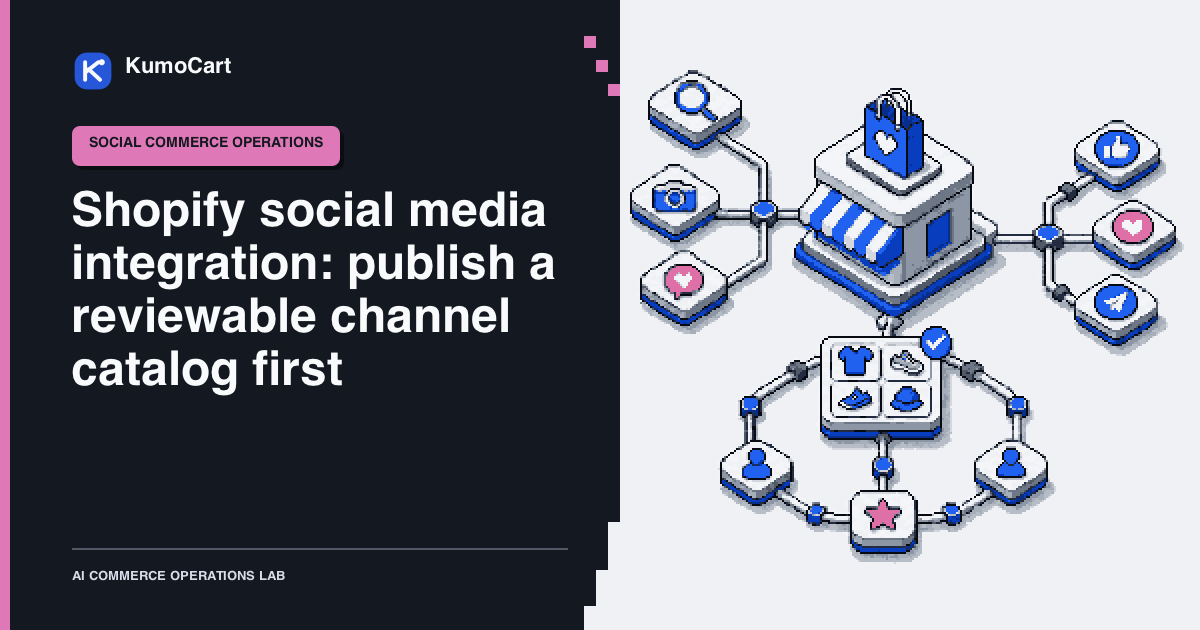
A Shopify social media integration is not primarily a posting tool or an app comparison. It is a public catalog decision. Before a product appears in a shop, tag, video, or channel-specific listing, a team needs to know exactly which product record is allowed to travel there, what customer promise goes with it, and who can stop or reverse the release.
This is a source-reviewed KumoCart operating model, not a KumoCart test. It does not claim that a connection, channel, catalog change, or publication rule will increase reach, conversion, revenue, or operating speed.
Name the integration job before you connect a channel
“Social media integration” can describe several different jobs. Decide which one you are trying to run before you connect an account or publish a product.
| Integration job | What crosses the boundary | First question to answer |
|---|---|---|
| Presence and discovery | Profile links, shared pages, or social previews | Is the goal to help people find the store, without changing a channel catalog? |
| Content sync | Posts, images, videos, captions, or tagged products | Who reviews the content, and should new posts publish automatically? |
| Catalog and shopping | Products, variants, prices, availability, and customer destinations | Which exact product record and market are allowed to become public? |
| Support and measurement | Messages, comments, events, or channel reporting | Which system owns the conversation or metric, and what permission does it need? |
Shopify’s Shop posts documentation describes manual posts, Instagram imports, and video sync from supported apps. It also documents that a connected Creator or Business Instagram account can publish automatically or leave imported posts unpublished for manual review. That is a content workflow with its own approval boundary. It does not mean every connected social account should receive the store’s product catalog.
This guide focuses on the catalog and shopping job because it can change what customers see, where they buy, and which market or price applies. Use the same job-first discipline for content, support, or measurement, but give each a separate owner and release record.
Start with the catalog boundary, not the connection screen
Shopify documents that Facebook and Instagram by Meta synchronizes Shopify products to a shared Meta catalog. When more than one Meta feature is set up, making a product available to the channel makes it available to all configured features. Review the current publication behavior and product requirements before deciding that a product is safe for only one public surface.
That makes the first operating question narrower than “Which social app should I install?”: which products, variants, markets, and customer promises are ready for this specific channel?
Check account permissions before connecting
The current Meta setup documentation describes Facebook and Instagram by Meta as a Shopify sales channel with one catalog across Facebook Shop, Instagram Shopping, and Facebook Marketing. It also says that the staff member connecting the channel needs full control of the relevant Facebook Page and business portfolio. Treat that as a connection precondition, not as a detail to solve after a product has been approved.
If the authorization path is incomplete, Shopify’s troubleshooting guidance says that the connection may need to be reset and authorized again. Record the account, business portfolio, Page, and approving owner in the release packet. Do not pass around a shared login or grant broader permissions just to make a setup screen progress.
Use a small channel-catalog record for every new release or material change:
| Field | What the team needs to decide | Accountable owner |
|---|---|---|
| Channel and market | Which channel, account, country, and configured market can display or sell this product? | Merchant or channel owner |
| Product and variant scope | Which exact product IDs and variants are included, excluded, seasonal, or paused? | Catalog owner |
| Customer-facing facts | Which title, description, images, price, condition, and delivery promise will a customer see? | Product and brand owner |
| Commercial boundary | Can this channel create an order, or does it send a customer to the online store? | Merchant and operations owner |
| Inventory boundary | What stock representation, reservation, out-of-stock response, and exception owner apply? | Inventory owner |
| Release evidence | Which product-status screen, preview, issue list, and reviewer decision prove the release was checked? | Reviewer |
| Rollback | Who can remove availability or pause the catalog, and how will the public change be verified? | Channel owner |
The record is KumoCart guidance. Shopify does not generate it for a merchant. Its purpose is to make a public catalog change inspectable before it becomes a customer-facing problem.
Treat each channel as a different publication environment
Do not assume that every connected sales channel has the same catalog, availability, price, inventory, customer-service, or checkout behavior. Shopify’s current channel-market documentation describes channel-specific product availability, pricing, and currency controls, and distinguishes traffic-generating channels from order-generating channels. Read the channel market requirements before making a market or catalog change.
Use the channel’s documented behavior to decide the size of the first release:
| Channel pattern | Documented boundary to check | First human checkpoint |
|---|---|---|
| Facebook and Instagram by Meta | Enabled Meta features share one catalog. Product availability applies across the configured features. | Confirm the exact product and variant set is acceptable on every enabled Meta surface. |
| Instagram product tags | Shopify documents that tagged products need to be available in both the Meta catalog and the Shopify online store. Multi-variant product tags need a selected variant. | Review the target variant, landing page, media, price, and the customer journey before a tag is posted. |
| TikTok Shop | Shopify documents automatic product synchronization plus product-status errors and disapproval reasons. | Check the current product status and disapproval reason for the selected product before treating it as ready. |
| Any channel market | A product can need both catalog inclusion and sales-channel publication, subject to the channel’s regional and currency requirements. | Confirm the merchant has approved the market, pricing, currency, availability, and regional scope. |
For TikTok Shop, Shopify documents automatic product synchronization and a Product status area with errors and disapproval reasons. That is why a catalog edit can be more consequential than a social post. Review the current TikTok product-status and disapproval workflow before expanding availability, and confirm any region-specific requirements in the linked TikTok Shop guidance.
Build a release packet from the product source of truth
Public catalog work is easier to review when it begins with a structured packet from the product source of truth, rather than a blank social post or a channel dashboard. The packet should show what will be published, not ask a reviewer to reconstruct it from memory.
Product and variant IDs:
Target channel, account, market, and region:
Current online-store availability:
Proposed channel availability:
Title, description, images, price, condition, and key attributes:
Inventory and fulfillment representation:
Known product-status issues or disapprovals:
Customer-facing promise and policy owner:
Reviewer, decision, and timestamp:
Rollback owner and verification step:
Baymard’s Product Page UX research describes the product page as a decision surface that relies on product information, images, variations, and supporting content. Its research does not validate this workflow or say that a social catalog performs like a product page. It does support a useful discipline: product data should be reviewed as customer decision material, not treated as an internal draft. Read the scope and methods of Baymard’s public research before drawing any performance conclusion from it.
At minimum, a reviewer should be able to identify the product, the selected variant, the current price, the availability state, the media, the likely customer destination, and the person responsible for a correction. If any field is uncertain, leave the product out of the channel catalog until it has an owner.
Use product status as a release gate
Shopify documents that product changes can synchronize to Facebook and Instagram by Meta after the products sync, and that the channel exposes product status and issue information. A product can therefore move from a correct internal record to a public inconsistency without a new social post being written. Check product status and resolve publishing errors after a material product change.
Use a lightweight release sequence:
- Select a small, explicit product and variant set. Do not begin with every active product.
- Prepare the packet from the current product record. Flag missing images, unsupported attributes, unclear price or delivery language, and unavailable variants.
- Confirm channel availability and any channel-market catalog requirement in the current Shopify admin.
- Check the channel’s product status and issue list. Resolve or deliberately exclude every affected product.
- Have the named brand, product, and operations owners approve the public copy, media, price, inventory representation, and customer promise.
- Enable the product or variant for the channel. Record the approver and the time.
- Verify the live representation and the customer destination. If it differs from the packet, pause the item and use the rollback owner rather than editing around the discrepancy.
This is a proposed release process. It is not proof that a particular channel will update on a specific schedule or approve a particular product.
Plan for catalog failures before connecting more products
| Failure mode | Early signal | Control |
|---|---|---|
| A product intended for one Meta surface appears across enabled Meta features | The shared-catalog setting is broader than the reviewer expected | Decide the entire Meta feature scope before setting channel availability. |
| A desired variant cannot be tagged or sold as expected | The packet has no exact variant identifier or the landing-page state differs | Require a variant-level check and record the intended customer destination. |
| A product becomes disapproved after an edit | Product status shows a channel error or disapproval reason | Pause expansion, review the reason, correct the source record, and verify again. |
| A channel market has the wrong price, currency, or regional scope | The channel configuration and product packet disagree | Stop the release until the merchant approves the specific market configuration. |
| Inventory, fulfillment, or a delivery promise is outdated | The product record conflicts with the operations owner’s current information | Keep the product out of an order-generating channel until the factual record is corrected. |
| A public product change has no accountable owner | Staff can edit availability but no one owns review or reversal | Assign a named reviewer and rollback owner before enabling the channel. |
Shopify says that a TikTok Shop product shown as disapproved can be reviewed from the channel’s Product status area, where the specific reason is visible. Treat that as a customer-impacting exception, not a background error to clean up later. Follow Shopify’s current disapproval-review steps with the merchant’s current channel account and policy owners.
Keep the consequential decision human
Automation can prepare a diff, collect product-status issues, identify a missing owner, and create a review task. It should not independently decide that a product is safe for public publication, set a channel price, override inventory, claim availability in a country, or make a delivery or return promise.
Use this final record before expanding a social-channel catalog:
Channel and market scope approved by:
Product and variant list approved by:
Price, currency, inventory, and fulfillment facts checked by:
Product-status issues reviewed by:
Customer promise and policy owner:
Live representation verified by:
Rollback owner and path:
Release approver and timestamp:
For broader workflow controls, see What ecommerce automation is - and the work it should not replace and How to automate a Shopify store without automating bad decisions. The useful boundary is simple: a social connection can distribute a product record, but only an accountable person should decide when the public version of that record is ready.
Frequently asked questions
Does connecting Meta publish every Shopify product?
No. Choose channel availability deliberately. Shopify documents availability controls and one shared Meta catalog across enabled Meta features, so confirm the intended catalog before enabling a product.
Can I tag an unpublished product on Instagram?
Shopify documents that a tagged product must be available in both the Meta catalog and the Shopify online store. Check the current account, region, and product requirements before publishing a tag.
Does automatic product sync replace human review?
No. Treat automatic synchronization as a reason to review a release packet, product status, price, inventory, copy, images, and recovery owner before a customer-facing channel change.
Sources
- Publishing products on Facebook and Instagram by MetaShopify Help Center · official · Sep 8, 2026
- Instagram ShoppingShopify Help Center · official · Sep 8, 2026
- Manage product availability for TikTok ShopShopify Help Center · official · Sep 8, 2026
- Sales channels and MarketsShopify Help Center · official · Sep 8, 2026
- Creating posts for ShopShopify Help Center · official · Sep 8, 2026
- Setting up Facebook and Instagram by MetaShopify Help Center · official · Sep 8, 2026
- Product Page UXBaymard Institute · research · Sep 8, 2026
Change log
- Re-reviewed current Shopify Meta, Instagram, TikTok, channel-market, Shop posts, and Meta setup documentation plus Baymard's public Product Page research description. Refreshed the catalog release model and recorded the required current discovery and three focused YouTube passes; no discovery claim is used as product or performance evidence.