Shopify custom product builder: choose the order data before the interface
A source-reviewed guide to deciding when a Shopify custom product needs a variant, a line-item property, or a tested builder workflow.
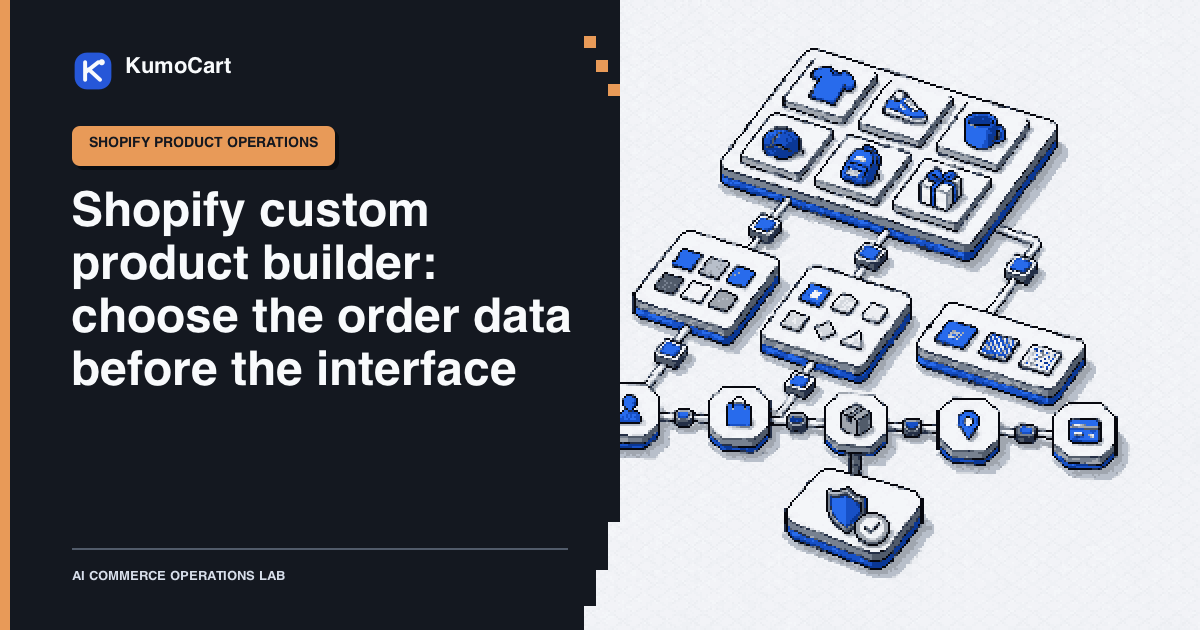
A Shopify custom product builder is not primarily a visual widget decision. It is an order-data decision. Before adding swatches, text boxes, conditional logic, uploads, or a live preview, decide what each customer choice must become after checkout.
One choice may identify a sellable version of a product. Another may be a customer instruction for the same sellable version. A third may require a separate quote, production check, or configuration record that a lean team can inspect. Those are different operating problems, even when the customer sees them together on one product page.
This is a source-reviewed KumoCart operating model, not a KumoCart test. It does not rank builder apps or claim that a customizer improves conversion, revenue, customer satisfaction, or production speed.
Choose the order record before the interface
Shopify describes a variant as a combination of option values, with its own operational fields such as price, inventory, shipping, SKU, barcode, and locations. Its current Help Center documentation allows up to 2,048 variants and three options per product. Check the current variant limits and fields before treating every possible choice as a native variant.
Shopify also documents line item properties for collecting additional customer information on a chosen variant. A product form can capture a monogram, engraving text, or file upload using a property input. Review Shopify’s product-form pattern before asking customers for any text or file.
Use this KumoCart classification before selecting a builder:
| Customer choice | Working decision | Required output to inspect |
|---|---|---|
| Size, material, or another choice that the team must sell, stock, ship, or fulfill differently | Model it as a sellable choice, usually a variant while the supported product model stays workable | Variant identifier, SKU, price, stock state, and fulfillment instruction |
| Engraving text, gift message, personalization note, or customer file tied to a selected item | Treat it as a customer-supplied instruction and validate it before production | Line-item name and value, required status, character or file rule, order display, and fulfillment handoff |
| A high-number combination, conditional calculation, visualization, production specification, or quote that cannot be represented clearly in the native product model | Investigate a builder app or custom implementation, then test the complete data handoff | Configuration record, selected inputs, calculated proposal, order mapping, exception state, and recovery owner |
The table is an operating rule, not a claim that Shopify automatically chooses the correct design. Shopify’s documentation says that products exceeding the current three-option or 2,048-variant limits can use a third-party app or theme code to extract line item properties. That tells you an implementation path exists. It does not tell you whether an app is a good fit for your order, production, or customer-support workflow.
Build a selection contract
Do not start with a list of interface controls. Start with a small selection contract that a product owner, operations owner, and fulfillment owner can all read. The contract turns a vague request such as “add a custom product designer” into inputs and outputs that can be checked.
| Contract field | Question to answer | Accountable owner |
|---|---|---|
| Base product | Which product and sellable version is the customer configuring? | Product owner |
| Allowed selections | Which values, text, files, or combinations are allowed? | Product and operations owner |
| Commercial consequence | Does a selection change a price, stock, shipping, tax, lead time, or fulfillment requirement? | Merchant or operations owner |
| Customer promise | What will the page say about preview accuracy, turnaround, returns, and limits? | Merchant or policy owner |
| Order output | Where will each value appear in cart, the order, production instructions, and customer messages? | Fulfillment owner |
| Validation rule | What is rejected, what needs review, and what message does the customer receive? | Product and support owner |
| Exception path | Who corrects a missing, ambiguous, or impossible request before production? | Operations owner |
Keep the contract beside the product rather than inside a single app’s setup screen. The interface can change. The order and fulfillment obligations do not disappear with it.
For a simple first version, the contract can be a short record:
Product and selected variant:
Customer inputs and allowed values:
Inputs that change price, stock, shipping, tax, or production:
Order fields the fulfillment team must see:
Validation and rejection message:
Preview and customer-promise owner:
Correction path and owner:
Publishing approver:
If the team cannot complete a line, keep the feature in draft. A new input field cannot answer an unresolved question about price, production, file rights, turnaround, or returns.
Make customer input reviewable
An engraving field and a visual configurator can both create an operational handoff. The relevant test is not whether the field looks polished. It is whether the right information survives from the product page to the person or system that must act on it.
Define the input before publishing it:
- whether it is required or optional;
- the allowed characters, language, length, format, and file policy;
- an example of an accepted value and a rejected value;
- whether the customer can see a preview and what that preview does not prove;
- the exact order field, print job, production queue, or support case that receives the value;
- the person who can pause the item when the request conflicts with a policy or production capability.
Shopify’s product-template documentation makes a useful platform distinction: line item properties are additional information collected for a variant. Do not turn that information into an unreviewed source of truth for a price, inventory override, legal promise, production instruction, or refund decision. Those are merchant decisions that need their own accountable review.
Test the order record, not only the preview
Baymard describes ecommerce research methods that use moderated task testing, eye tracking, benchmarking, and quantitative studies. That research does not validate this guide or predict a result for a customizer. It does support a practical discipline: review a customer task all the way through instead of judging the page from a screenshot. Read Baymard’s public method description for the limits of that analogy.
Run a controlled test in a development store or a tightly scoped live product only after the merchant has approved the input packet. These are proposed test cases, not KumoCart or merchant results.
| Case | Input | Evidence to capture | Human decision |
|---|---|---|---|
| Standard valid selection | One base product, one allowed selection, one valid instruction | Product page state, cart line, order detail, and fulfillment handoff | Does the record identify exactly what must be made or sent? |
| Boundary input | Maximum permitted text, unusual characters, or a near-limit file | Acceptance or rejection message, stored value, and downstream record | Is the rule understandable and safe for the team to fulfill? |
| Invalid or incomplete input | Missing required field, unsupported combination, wrong file, or conflicting instruction | Customer-facing error, no unintended order data, and correction route | Can staff recover without guessing or making a false promise? |
| Commercially material selection | A choice that should change a controlled commercial or operational condition | The named field that carries the decision and the approval record | Does the team agree on the source of truth before an order is accepted? |
| Cancellation, edit, or refund request | A change after the customer submits the configuration | Original configuration, staff note, customer communication, and recovery action | Who can authorize the change and what remains traceable? |
Use a named reviewer for the final pass. The reviewer should confirm the customer sees clear instructions, the cart and order preserve the right data, the fulfillment team receives a usable record, and the correction path does not depend on memory or an unshared inbox.
Treat an app or custom build as a permissions change
When the native product model no longer represents the work clearly, an app or custom implementation may be appropriate. That is not a reason to install the first attractive builder or to delegate the decision to a sales demo.
Shopify says the app-install screen shows the personal data and store areas an app needs to view or edit, and links to the developer’s privacy policy. Review the documented install screen with the people accountable for customer data, product data, and charges.
Before authorizing an implementation, record:
- the exact product pages, variants, customer data, orders, and files the implementation can read or write;
- what it stores outside Shopify and how staff can export the configuration and production data;
- how a failed calculation, upload, conditional rule, or order mapping is surfaced and repaired;
- what happens to the storefront, order records, files, and fulfillment handoff if the app is disabled or removed;
- the person who can approve charges, permission changes, bulk updates, and a live publish;
- the smallest reversible pilot that proves the contract above.
Do not let automation approve installation, app charges, customer promises, refunds, product deletions, inventory overrides, or public publishing. It can assemble the review packet. A merchant needs to make the consequential choice.
Plan for the failure modes that a demo skips
| Failure mode | Early signal | Control |
|---|---|---|
| A customer choice has no usable order output | The product page shows a choice but fulfillment sees only a generic item | Trace the chosen value through cart, order, production, and customer message before release |
| A customer instruction is ambiguous | Text, file, or preview lacks a rule, owner, or acceptance state | Define validation, a pause state, and a human correction path |
| A commercial consequence is hidden in a form | Staff cannot explain why a selection changed a price, lead time, or delivery promise | Put the decision in the selection contract and require merchant approval |
| A high-number configuration becomes unmaintainable | New combinations or rules are added without a record of what must happen downstream | Stop adding controls and evaluate an app or custom implementation against the complete handoff |
| An app has excessive or unclear access | The install screen asks for data or edits that the workflow cannot justify | Pause installation, review permissions and privacy, and scope a smaller pilot |
| A preview creates a false promise | The visual looks final but material, text, file, or production limitations are unresolved | Label the preview accurately and require product-owner approval before production |
| A post-order change loses the original request | Staff edit a configuration without retaining the customer’s submitted details | Preserve the original request, record the authorized change, and notify the customer truthfully |
Keep the final decision human
The customer can interact with a complex builder in seconds. The merchant still owns its effects on product truth, customer promises, production, inventory, money, data access, and returns.
Use a final go or no-go record:
Selection contract reviewed by:
Order-record test cases completed:
Known exceptions and resolution owners:
Permissions and privacy review completed:
Customer promise and policy owner:
Fallback or disable path:
Publishing approver and timestamp:
For the wider category, visit the personalized commerce hub. For rules that should remain reviewable after a product order arrives, see Shopify store automation. If a team later connects workflow automation to the product process, the Shopify Flow tool record is a useful starting point for reviewing its documented boundaries.
Limits of this guide
This guide does not compare, rate, or price custom-product builder apps. It does not prove compatibility with every theme, app, production partner, file type, payment method, market, tax setting, or fulfillment workflow.
Shopify’s product limits, theme behavior, app access, and customizer implementations can change. Recheck the current documentation and repeat the order-record test whenever a product’s selections, production process, customer promise, or app permissions change.
Frequently asked questions
Do I need a custom product builder for every personalized Shopify product?
No. Start by identifying the order data the choice must create. A native variant or a customer-supplied line-item property can be enough when the workflow stays understandable and testable.
When should a customer choice become a Shopify variant?
Use it as an operating rule when the choice needs its own sellable record or changes the fulfillment, stock, shipping, tax, or price decision that the team must audit.
What should I test before publishing a product customizer?
Test the selection from the product page through cart, order detail, fulfillment handoff, customer message, and correction path, then let a named merchant approve the live release.
Sources
- Adding variantsShopify Help Center · official · Aug 6, 2026
- Product template and line item propertiesShopify Dev Docs · official · Aug 6, 2026
- Installing and setting up appsShopify Help Center · official · Aug 6, 2026
- Baymard UI Research Methodology and DataBaymard Institute · research · Aug 6, 2026
Change log
- First edition reviewed against current Shopify variant, product-form, and app-install documentation, plus Baymard's public research-method description.